
Analytics
Google Analytics 4
 Google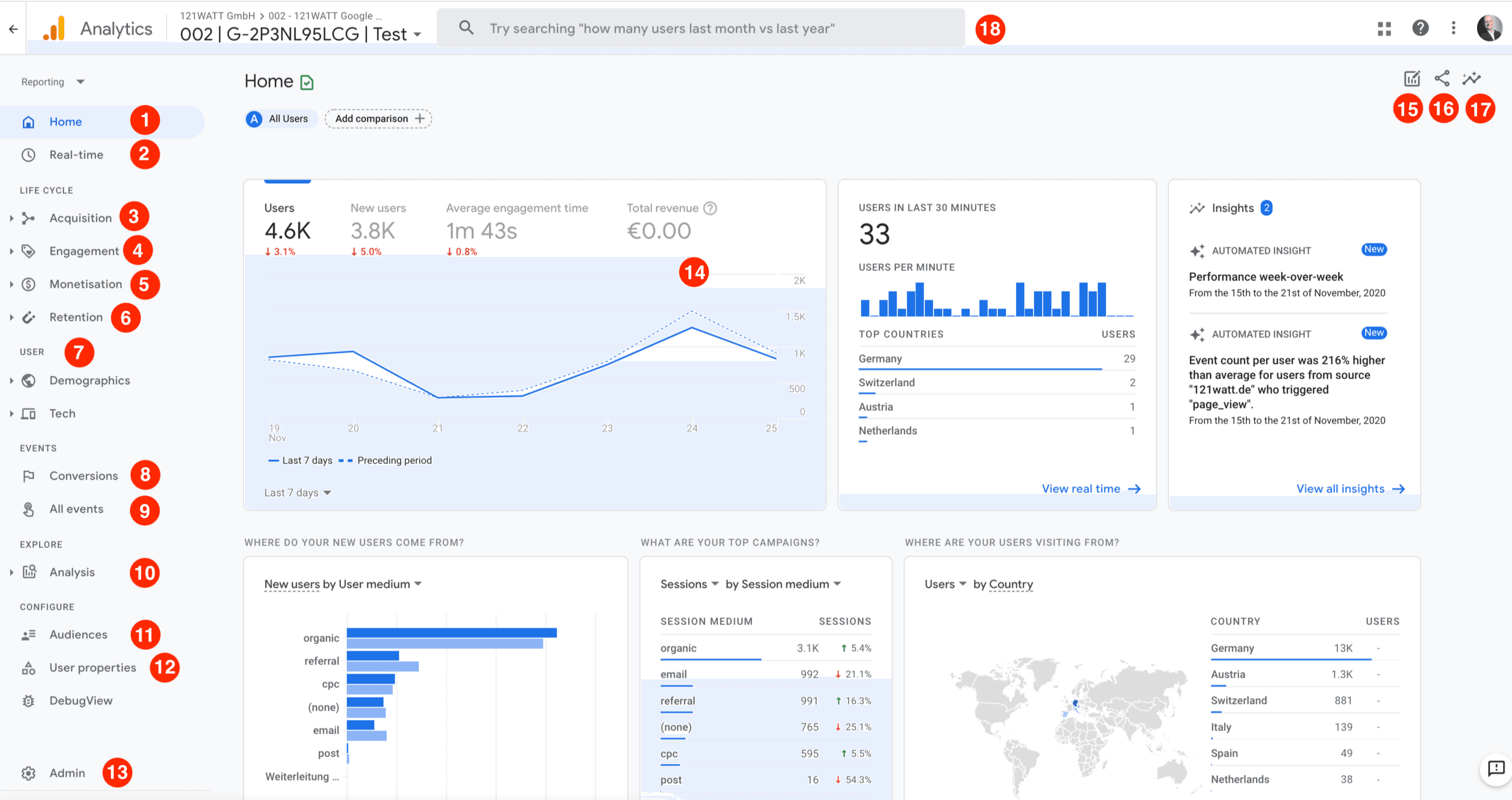
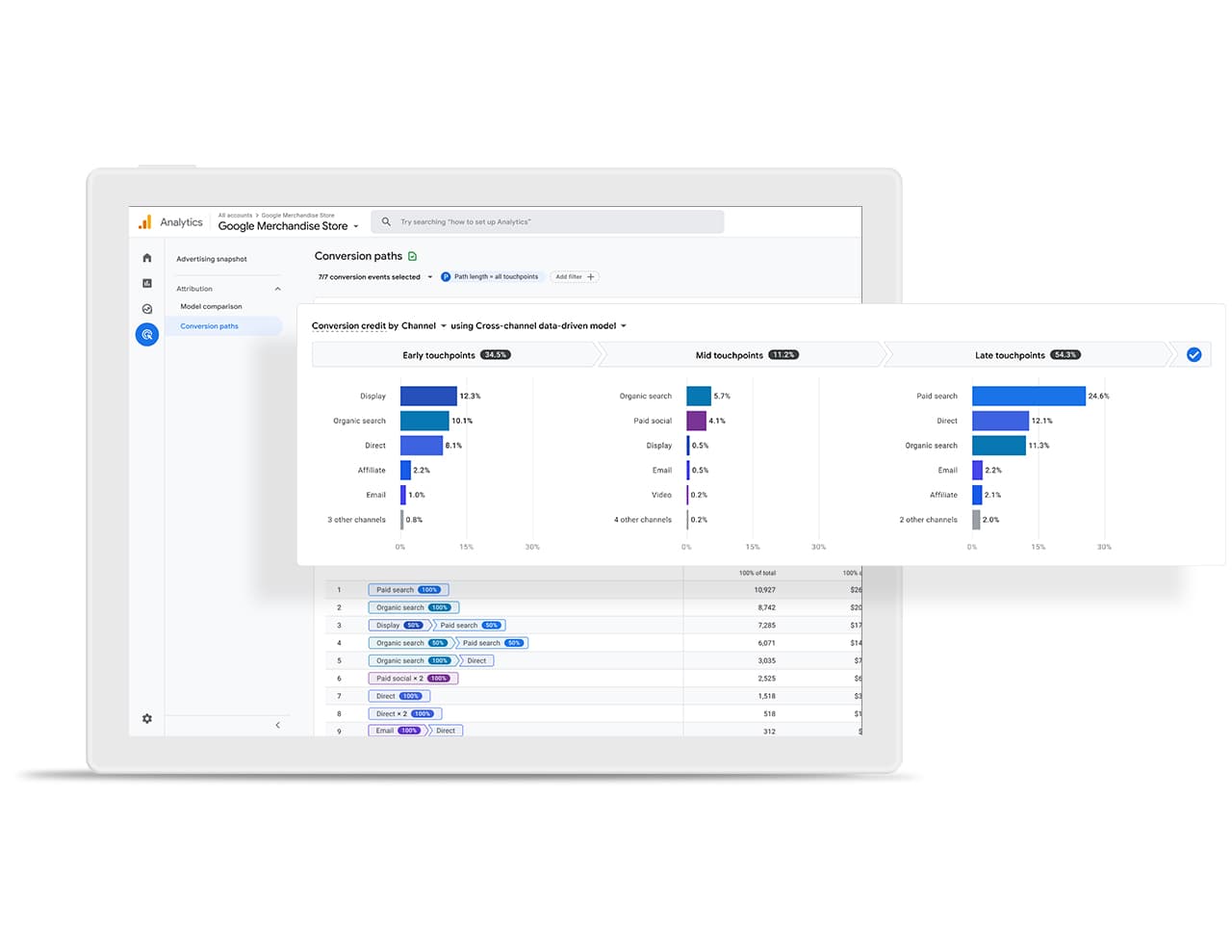

Track visitor behavior
Google Analytics 4 (GA4) is the current generation of Google's web and mobile analytics platform. It completely replaced the legacy Universal Analytics (UA) platform. Built from the ground up to adapt to a privacy-conscious digital landscape, GA4 uses AI-driven predictive modeling and an event-based data tracking system to measure user journeys across both websites and apps simultaneously.
Key Features of GA4
Event-Based Data Model: Unlike UA, which grouped user interactions into "sessions," GA4 tracks every single user action (like a page view, a click, or a purchase) as an individual Event. This provides a much cleaner overview of how people actually interact with your content.
Cross-Platform Tracking: If your business has both a mobile application and a standard website, GA4 seamlessly unifies that data into a single property, allowing you to see the true multi-device customer journey.
Privacy-First Design: GA4 is built to operate in a cookie-less future. It includes native IP address anonymization and features that help businesses comply with privacy laws like GDPR and CCPA.
Free BigQuery Integration: Previously exclusive to premium enterprise users, GA4 gives all users a direct, native export option to Google BigQuery for advanced raw data querying.
Predictive Analytics: Driven by machine learning, GA4 can automatically predict future user actions, such as purchase probability, churn risk, and potential revenue forecasts.
Setting Up Your First GA4 Property
Setting up tracking requires a free account on the Google Marketing Platform. Marketers generally prefer deploying GA4 via Google Tag Manager for easiest control.
Create the Property: In your Admin dashboard, select Create > Property, then choose your business parameters (reporting time zone, currency, and business size).
Choose Business Objectives: Select your core goals (e.g., "Generate Leads," "Drive Online Sales") so Google can customize your default workspace layout.
Add a Data Stream: Choose between a Web, iOS, or Android stream. For web tracking, Google will generate a unique
gtag.jsscript tag or a Measurement ID (e.g.,G-XXXXXXXXXX).Deploy the Code: Copy that tag and place it directly into the header of your website, or plug the ID into your Google Tag Manager container