
Marketing
Google Reviews
 Google

Show off your Google rating and collect more reviews
Google Reviews allow users to publically rate and share feedback about businesses and locations directly through Google Search and Google Maps.
Because your search for "reviews google" is broad, here is how you can manage Google reviews depending on your specific goal:
How to Write a Google Review
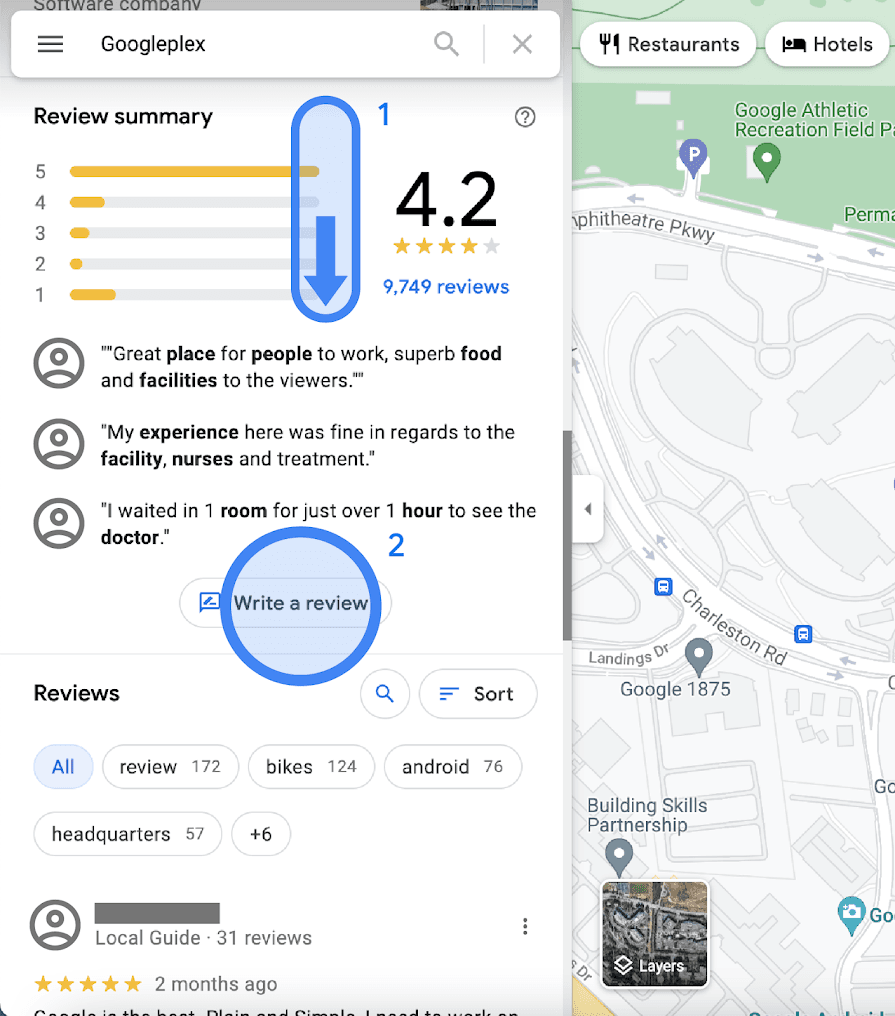
Open Google Search or Google Maps.
Search for the specific business name.
Scroll to the Reviews section and click Write a Review.
Select a star rating (1 to 5 stars), type your feedback, and click Post.
For Business Owners (Get More Reviews)
Generate a Direct Review Link: Log into your official Google Business Profile Help dashboard. Look for the Get more reviews button to generate a short, clickable link that you can text or email to your customers.
Automate Invitations: You can also enable the Google Customer Reviews feature directly inside your Google Merchant Center account under the "Add-ons" settings to collect star ratings after checkout.